LoRA Dataset Preparation: Curation, Captions, and Safety Gates
How to prepare image, video, and voice datasets for Wavemaker LoRA training—counts, captions, moderation, and promote-from-runs workflows that beat raw folder dumps.
LoRA dataset preparation on Wavemaker means curating the right number of moderated items, writing captions that teach the model what should stay constant, and passing the Studio readiness checklist—not zipping a Downloads folder and hoping training fixes noise.
Datasets are the product decision
Training algorithms are largely fixed per job type; your dataset is the creative variable. A mediocre dataset burns credits and produces checkpoints you will reject at grid review. A tight dataset makes epoch picking easy and downstream strength tuning predictable.
Start from the LoRA training pillar if you need pricing and engine honesty (krea2/ltx/wan/hunyuan/elevenlabs runnable; Flux/SDXL imports library-only).
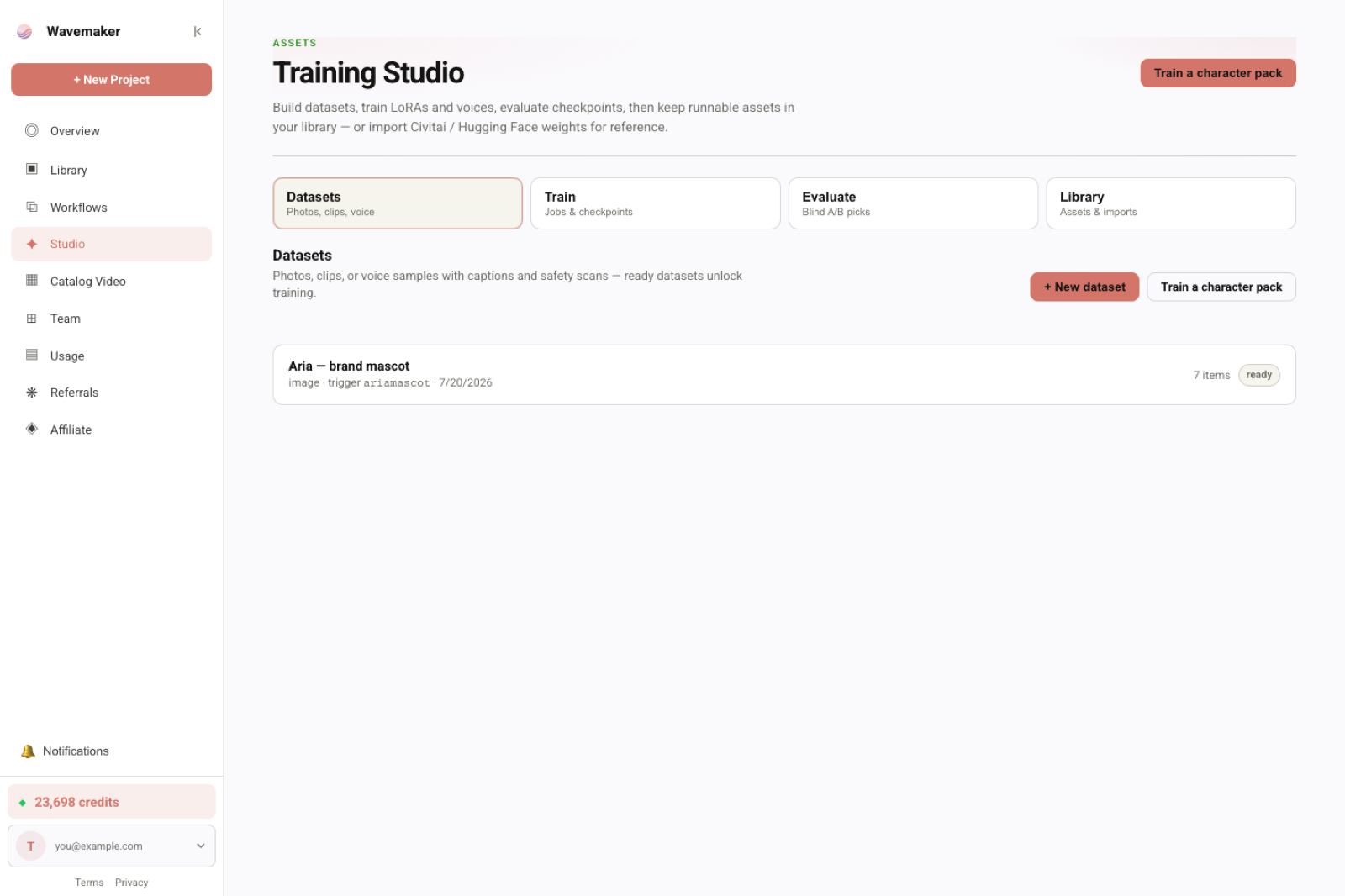
Assets library used when binding LoRAs and voices.
Image datasets (character, style, product)
Bounds and readiness
Image LoRAs allow 8–400 images after moderation. The UI checklist tracks:
- Item count within bounds
- Caption coverage percentage
- Scan status (no pending failures)
Training stays disabled until the checklist passes—fix items rather than forcing submit.
Curation principles by preset
| Preset | Optimize for | Avoid |
|---|---|---|
| Character | Face/hair identity across angles | 50 identical expressions |
| Style | Consistent palette/texture language | Mixed unrelated artists |
| Product | SKU shape, label legibility rules | Lifestyle shots without packshot anchors |
Product-focused teams should continue into product LoRAs for ecommerce after dataset prep.
Caption editing workflow
- Let auto-caption run post-scan.
- Bulk-save caption edits in Studio when many items share patterns.
- Keep a stable trigger token for characters/products.
- Describe what changes frame to frame; let the token carry identity.
Bad: "photo of person". Good: "sks_char smiling, soft window light, red sweater, three-quarter view".
Promote from runs
Instead of only uploading external JPEGs, promote your best stills/clips from recent workflows. This closes the loop: generate → keep winners → train → bind improved asset. It is especially powerful for stylized characters where external stock photos do not exist.
Video datasets (motion LoRAs)
Video LoRAs require 6–200 clips with consistent framing of the subject or motion you want to encode. Clip length and camera motion should align with how you will invoke Wan/hunyuan paths later—see video LoRA training for Wan.
Caption clips with verb-first language when motion matters: "slow pan left, hair moves in wind" beats "video clip 07".
Voice datasets (narration clones)
Voice is not “more images.” Collect 1–25 clean samples, single speaker, minimal reverb. Before train, complete the consent record (voice_owner_name, relationship, permitted use scope, revocation acknowledgment). Training refuses without it—details in voice training with consent.
Moderation and fail-closed ingest
Items upload as pending. Ingest scans storage bytes (not public URLs on dev paths), applies vision moderation, then enables training. Infrastructure retries exist; do not assume a failed item will silently pass on re-upload without fixing content.
Photoreal faces are allowed when rights-clear; prohibited classes block. Character packs treat uncertain age signals as review flags rather than killing legitimate adult casting work— but you still must not train on unlicensed likeness.
Storage and upload mechanics
Image uploads use dataset endpoints with raw bodies (large video-friendly). Locally, dual-write to R2 when configured so Fly ingest runners read the same bytes as production. Register items after upload returns r2_key.
If you are migrating from a home GPU pipeline, re-export curated subsets rather than entire 2k-image scrapes—Wavemaker caps exist to protect training stability, not to annoy power users.
Checklist before you click Train
- Count within kind-specific bounds
- Captions edited; trigger tokens consistent
- No pending moderation failures
- Voice consent completed (voice only)
- License notes on imports if required
- Hypothesis written: “What should this LoRA lock?”
After training: datasets still matter
Evaluation prompts can pull held-out captions from the same dataset—if captions lie, evaluations lie. When grids look wrong, fix captions and retrain before chasing rank hyperparameters.
Pair dataset discipline with picking the right LoRA epoch and blind A/B testing.
General character consistency (link, not duplicate)
Datasets power LoRAs; they do not replace planning, subject references, or review gates in long video. For that broader map, see /blog/consistent-characters-across-scenes/—this article owns dataset preparation, not every consistency tool.
Bulk operations and Studio ergonomics
Large datasets benefit from bulk caption save in the Studio UI—edit shared prefixes once, then tweak outliers. The readiness checklist’s caption coverage percentage is a forcing function: do not treat 60% captioned as “good enough” when training character identity; incomplete captions cluster noise into whatever text exists.
Rescan exists for infra flakes and legacy flags—not for laundering prohibited content. If moderation hard-blocks, remove the item.
Duplicate detection and near-duplicate frames
Burst photo modes create twenty frames with micro-millisecond pose changes—they inflate counts without teaching new information. Dedupe aggressively; keep the sharpest frame per burst. For video, consecutive identical keyframes waste clip budget.
License notes on imports
When datasets include imported weights or third-party photos, license_note fields document why you believe training is permitted. Hub publish and enterprise reviews ask for provenance; future you will forget why a folder was “probably fine.”
Handoff to training operators
Document trigger token, intended weight range, and forbidden failure modes (“do not ship if label text invents URLs”) in your ticket when handing datasets to another teammate. Training Studio preserves captions, not your Slack context.
Metrics that predict grid success
Before spending ~60–200 credits, sanity-check:
- Angle coverage wheel (front/side/back present?)
- Lighting variance score (human judgment)
- Caption token consistency (grep trigger spelling)
- Moderation pass rate (100% required)
Weak metrics predict weak grids—fix dataset before job submit, not after epoch 12.
Voice dataset specifics recap
Voice clips need transcript alignment optional but helpful for readiness UI. Keep clips short; long podcasts dilute speaker embedding. Consent must exist before train button enables—see voice training.
Video clip ingest at scale
When uploading hundreds of MB, raw-body upload avoids multipart overhead. Plan ingest polling in UI—wizard surfaces thumbs and quality flags; do not assume instant train button on last byte uploaded.
Cross-linking datasets to evaluations
Hold-out captions from the same dataset power honest Evaluate cells. If captions overfit identity to studio backdrop, evaluations lie cheerfully. Hold-out sets should use prompts you never trained on verbatim.
Field notes for dataset operators
Treat datasets like code branches: name them, describe intent, and avoid “misc_v3_final” without README. When promoting run outputs, tag which workflow produced them so you can trace failure if a bad generation poisoned training. Bulk caption saves are fast—use them—but have one human read ten random captions before train submit; auto-caption systematically under-describes jewelry, logos, and hands. For ecommerce, separate packshot and lifestyle folders mentally even if one dataset—caption groups help Evaluate later. Voice datasets: re-read consent scopes aloud in review meeting; boring compliance prevents expensive recalls. Video datasets: log camera direction in captions consistently (“dolly in”, “static tripod”) so Wan learns motion vocabulary you will reuse in prompts. If checklist blocks train, fix items—do not ask support to override moderation. Document license notes on any scraped or client-supplied art; Hub publish will ask. Pair dataset work with pillar pricing so producers know image ~60, video ~200, voice ~30 before scheduling shoot days.
Workshop scenarios
Scenario A — Influencer with 28 selfies: Dedupe to 18, add 6 friend-shot angles with varied lighting, caption trigger sks_nina_creator, train character on krea2, pick mid epoch, bind to UGC workflow. Scenario B — Apparel SKU: 12 packshots + 8 lifestyle, caption fabric and colorway, product preset, evaluate on ad prompt pack before Meta variants. Scenario C — Wan motion pack: 24 clips tripod + gimbal moves, no audio, video_lora job, pick epoch with least flicker, bind video block only. Scenario D — Voice CTA: 8 studio clips, consent complete, voice job ~30 cr, bind narration node, never mix with image dataset. Each scenario ends with checklist pass—never skip moderation pending state.
Extended production checklist
Before any train submit, re-open the dataset detail view and spot-check thumbnails for blur, duplicate bursts, and accidental UI screenshots—captions cannot fix unrecoverable pixels. Confirm trigger spelling matches workflow prompts exactly; a one-character typo splits identity across runs. For cross-functional teams, attach a one-page brief: intent, forbidden outputs, and target workflows—Studio stores captions, not briefs. When clients supply ZIPs, unzip and remove macOS metadata files before upload. If you promote run outputs, exclude generations that failed review gates—you do not want review-failed stills teaching the model. Schedule train jobs when someone can pick epochs within fourteen days—expiry deletes unpicked checkpoints. After pick, update cast packs and workflow version pins in the same change ticket to avoid drift between Library and graph. Link stakeholders asking “how do we keep characters consistent in video?” to /blog/consistent-characters-across-scenes/ while owning dataset work here. Re-read /lora-training when finance asks for credit estimates—image ~60, video ~200, voice ~30 at defaults. If imports are part of the pipeline, confirm runnable badges before promising delivery dates—Flux/SDXL library-only surprises schedules.
Where to go next
Frequently asked questions
- How many items belong in a LoRA dataset on Wavemaker?
- Image LoRAs accept 8–400 images; video LoRAs 6–200 clips; voice clones 1–25 samples. Stay inside those bounds—the readiness checklist blocks train until counts and caption coverage look sane.
- Do captions really matter if the images are good?
- Yes. Auto-captions are a draft. Edited captions that separate identity from pose, wardrobe, and lighting are the highest-leverage quality input before you spend training credits.
- Can I train on outputs from my own Wavemaker runs?
- Yes—promote recent run artifacts into a dataset. That generate → curate → train loop is the intended way to refine style or character iteratively without leaving the platform.
- What stops unsafe items from entering training?
- Every item is scanned fail-closed before it becomes trainable. Voice datasets additionally require the R-45a consent record (owner name, relationship, permitted use, revocation acknowledgment).