ComfyUI JSON Formats Explained: API vs UI Save (and What Imports)
ComfyUI API JSON vs UI save JSON — structure, widgets, links, and what Wavemaker's importer reads. PNG metadata is a third path. Transpile-only; custom nodes are not executed.

ComfyUI JSON formats split into API (prompt) JSON and UI save JSON — plus PNG-embedded workflow metadata for images Comfy saved. Wavemaker imports all three by normalizing topology, not by executing nodes. This guide explains the shapes and what survives transpile. Product entry: /comfyui. Walkthrough: import ComfyUI workflows.
Why does ComfyUI have two JSON shapes?
ComfyUI serves two masters:
- The queue / API wants a minimal executable prompt — node ids,
class_type,inputs, wired references. - The canvas wants layout, groups, notes, reroutes, and widget state for humans.
Export “Save (API Format)” for the first; “Save” from the UI for the second. Community shares both; some tools emit only API JSON.
API / prompt JSON — structure
Typical properties:
- Top-level object keyed by string node ids (
"3","7", …) - Each node:
"class_type","inputs"map - Inputs reference other nodes as
["upstream_id", output_index]tuples or literal widget values - No x/y positions — pure DAG
Example (illustrative, shortened):
{
  "3": {
    "class_type": "KSampler",
    "inputs": {
      "seed": 42,
      "steps": 20,
      "cfg": 7,
      "sampler_name": "euler",
      "scheduler": "normal",
      "model": ["4", 0],
      "positive": ["6", 0],
      "negative": ["7", 0],
      "latent_image": ["5", 0]
    }
  }
}
What Wavemaker reads: traced path from save/image output to sampler; prompt text from conditioning nodes; LoRA chain on the model path; latent source for t2i vs img2img; width/height when present.
What Wavemaker drops (reported): seed, steps, cfg, sampler_name, scheduler — not silently remapped.
UI save JSON — structure
Typical properties:
"nodes": array withid,type,pos,widgets_values, flags (mute/bypass)"links": array or object depending on era — connections between output/input slots"groups","config", version fields
Older 0.4-era exports use different link encodings (array links vs object links). Widget values are often positional arrays — the seventh float might be CFG with no field name attached.
Normalization steps (conceptual):
- Collapse Reroute nodes
- Drop muted/bypassed branches that should not affect intent
- Unify link representations into one internal graph
- Decode widgets using per-class widget order tables maintained against real exports
Wrong widget order is a classic importer bug class — we treat it as test-covered infrastructure, not guesswork.
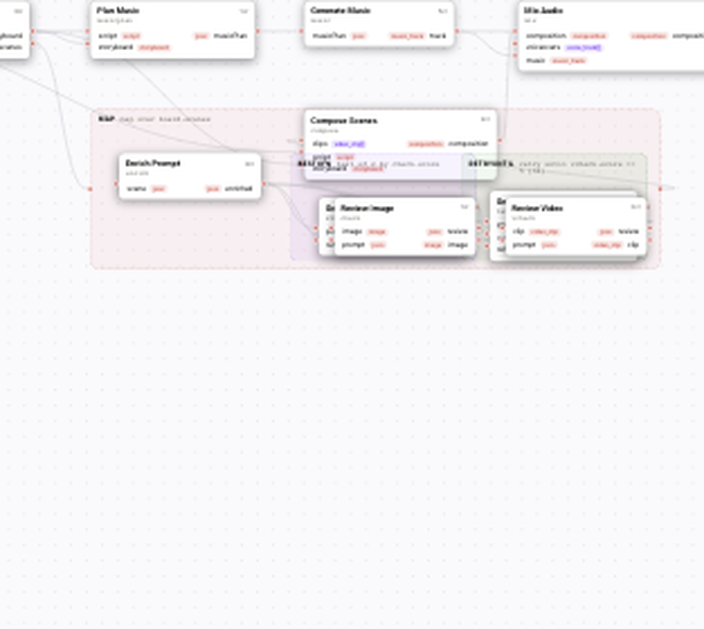
Visual builder canvas — typed blocks, wires, and quality contracts.
PNG as a third “format”
Comfy PNGs store workflow JSON in tEXt/iTXt chunks, sometimes zlib-compressed. Wavemaker extracts in the browser and feeds the same pipeline as file JSON. See ComfyUI PNG workflow metadata.
Automatic1111 PNG parameters are a different schema — expect a explicit error, not a partial import.
What does the importer ignore on purpose?
| UI JSON field | Why ignored |
|---|---|
Node pos, colors, groups | Layout ≠ runtime intent |
| Notes | Human commentary |
| Muted branches | Excluded from intent trace |
| Comfy runtime concepts | Wavemaker behavior |
|---|---|
Custom class_type | Not imported — arbitrary code |
| ControlNet nodes | Not imported |
| Video wrapper nodes | Not imported |
| Subgraphs / some groups | Unsupported unless flattened |
Engineering rationale: Why transpile.
API JSON vs UI JSON — which should you export?
| Situation | Prefer |
|---|---|
| Automation, CI, smallest file | API JSON |
| Only have a canvas save | UI JSON — works |
| Sharing with non-technical users | PNG from Comfy (embeds workflow) |
| Debugging missing widgets | API JSON often easier to diff |
For import troubleshooting, see workflow troubleshooting.
How do links encode connections in UI JSON?
UI saves reference nodes by id and wire slot indices — output slot 0 on node 4 to input slot 1 on node 7. When Comfy changes input ordering on a node class, old UI JSON still wires numerically, which can misroute silently inside Comfy itself. API JSON uses named inputs, which is why we recommend API export when you suspect widget drift. Our normalizer maps both, but debugging is easier when names are explicit in the source export.
How does transpile use the normalized graph?
After normalization:
- Find image output nodes (
SaveImage, previews traced similarly) - Walk backward through VAE decode to KSampler (or equivalents)
- Classify empty latent vs encoded image → t2i vs img2img
- Collect LoRA loaders on model path
- Map to
text_to_imageor edit blocks; snap aspect ratio
Result: WorkflowSpec that compiles — same validator as hand-built graphs.
Programmatic path: POST /api/v1/workflows/comfy-import — returns spec, report, diagnostics.
How do version fields affect decoding?
Comfy UI saves often include version stamps — workflow revision, Comfy build hints, or node pack metadata mixed into the root object. Wavemaker ignores layout and version commentary for transpile purposes; what matters is whether the nodes and links decode into a consistent DAG. When Comfy upgrades change widget order on a node class, the same UI JSON can decode to wrong CFG or strength values inside Comfy itself before you ever import. That is why we maintain widget order tables against real exports and why API JSON is easier to diff in git: named inputs survive renames better than positional arrays.
If you collaborate across Comfy versions, pin versions in README tables and re-export API JSON after upgrades. Run import twice — before and after upgrade — and compare report sections for new approximated or Not imported lines. Treat those diffs like contract tests for creative pipelines you intend to publish on /comfyui.
What fields survive in the normalized DAG?
After normalization, the importer cares about topology and decodable widget values, not canvas aesthetics. Reroute nodes collapse; muted branches drop out of the intent trace; links unify into upstream references the mapper can walk. Prompt strings from CLIP text encode nodes, LoRA filenames from loader nodes, width and height when present, and latent provenance (empty versus encoded image) all feed the t2i versus img2img classifier. Sampler widgets may be present in the normalized graph but are reported as dropped at map time — they are not silently copied into hidden platform parameters.
Custom class_type strings stop the mapper for that subtree and land in Not imported. The rest of the graph may still map if the path from save node to sampler through standard loaders remains intact. Partial imports are valid outcomes; read the full report before assuming “import failed” because one exotic node appeared.
Common format mistakes
- Renamed
.json— detection is structural; renaming rarely helps broken content - Partial exports from tools that strip LoRA nodes — report shows missing assets
- Edited JSON by hand — invalid links fail compile diagnostics; fix upstream in Comfy
- Expecting UI layout to import — you’ll get a fresh Wavemaker canvas
How do automation pipelines diff Comfy exports?
Store API JSON in git; on each Comfy upgrade, run comfy-import in CI and fail builds when Not imported count increases unexpectedly. Track approximated entries as warnings. This pattern catches when lab graphs pick up new custom nodes that product transpile cannot carry. Pair with run ComfyUI workflows online staging runs before Hub publish.
Checklist before filing a format bug
Export API JSON and UI JSON from the same graph and import both. If API succeeds and UI fails, attach both files to the bug — widget order regressions live there. If both fail compile, fix topology in Comfy first. If both import but prompts differ, compare approximated sections, not just final blocks.
Glossary for JSON discussions
- API JSON — flat prompt map for queue/automation
- UI JSON — canvas save with layout and positional widgets
- Widget order table — per-node-class list decoding positional arrays
- Normalization — converging UI/API shapes to one DAG before transpile
- Transpile — map DAG intent to Wavemaker blocks without executing Comfy
Wavemaker’s importer treats both JSON shapes as first-class because community shares are messy — creators should not need to re-export before trying /comfyui import.
Version skew: why exports go stale
Comfy minor versions change widget orders and node inputs. An API JSON exported today may decode differently after a Comfy upgrade — inside Comfy itself, not just on Wavemaker. Pin versions in README tables when you collaborate; for product graphs, re-import after Comfy upgrades and diff the import report entries. Treat report diffs like contract tests.
JSON formats and online runs
Formats are the input to transpile; online execution is platform blocks afterward — run ComfyUI workflows online. Publishing adds typed inputs from the spec panel — Comfy to product.
Treat exports like API contracts: version, hash, and store alongside Hub slug versions.
Where to go next
- Pillar: /comfyui
- Import steps: Import ComfyUI workflows
- PNG path: PNG workflow metadata
- LoRA chains in JSON: LoRA workflows explained
Understand the shape of your file once — then read the import report every time you change graphs.
Frequently asked questions
- What is the difference between ComfyUI API JSON and UI JSON?
- API JSON is a flat prompt map keyed by node id — what automation sends to the queue. UI JSON includes canvas layout (nodes, links, positions) and often positional widget arrays. Wavemaker accepts both; detection is structural.
- Which format should I export for import?
- API/prompt JSON is usually smaller and clearer for automation. UI save JSON works if that's what you have — including older 0.4 exports. PNGs from Comfy embed yet another serialization of the workflow.
- Does Wavemaker preserve node positions from UI JSON?
- Layout is not the product goal — creative intent is. The importer normalizes graph topology; the editor shows Wavemaker's canvas after mapping to platform blocks.
- Why do widget values look like mystery arrays?
- Many ComfyUI versions serialize widgets positionally without names. Importers must decode using per-class widget order tables — wrong order means wrong prompts, which is why we verify against real exports.