Why Wavemaker Transpiles ComfyUI Workflows Instead of Running Them
Hosted ComfyUI would mean arbitrary code, unknowable cost, and graphs that rot. Semantic transpilation extracts creative intent, rebuilds typed blocks, and reports every gap — no custom nodes, no pixel parity claims.

Update (2026-08-04): This post describes the legacy managed-import (transpile) lane, which is being retired. Wavemaker’s platform now executes ComfyUI graphs natively on managed GPUs — import your JSON at /comfyui, run it once to verify, and publish it for per-run royalties.
Wavemaker transpiles ComfyUI workflows instead of executing them because hosting ComfyUI would require running unreviewed custom-node code, pricing graphs after the fact, and maintaining brittle node versions for every tenant. We extract creative intent, rebuild typed blocks, and return an honest import report — see the product framing on /comfyui and the hands-on guide at import ComfyUI workflows online.
Why doesn’t “just host ComfyUI” work?
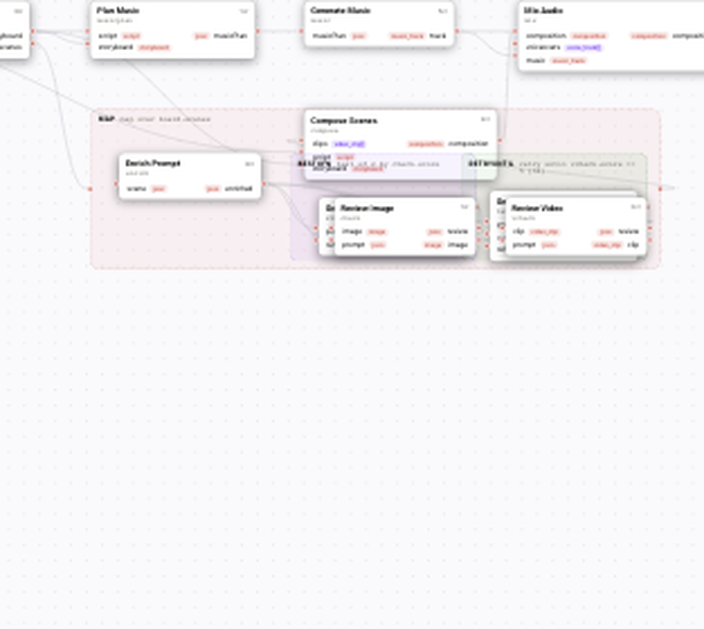
Visual builder canvas — typed blocks, wires, and quality contracts.
The obvious feature — spin up ComfyUI in the cloud and run the JSON verbatim — fails on three structural fronts.
Security: custom nodes are code execution
ComfyUI’s ecosystem strength is also its hosting nightmare: custom nodes are Python loaded into the graph runtime. A workflow that references a community node is asking the host to fetch and execute third-party logic. Multi-tenant services cannot treat that as a supported security boundary — malicious nodes have shipped in the wild, and even benign nodes expand the attack surface without review gates.
Wavemaker’s contract is the opposite: no Comfy node executes on our infrastructure, ever.
Economics: graphs without cost models
Wavemaker runs are quoted before they start, itemized per block, held to a hard cap, and settled to actual usage. That works because every block has a known billing SKU. An arbitrary Comfy graph might loop upscalers, branch on custom logic, or invoke heavyweight video wrappers — cost is unknowable until the run finishes. “No invisible spend” is a platform guarantee; hosted ComfyUI breaks it by design.
Durability: graphs pin to moving targets
Comfy workflows implicitly pin behavior to specific node implementations at specific versions. Custom nodes update, rename widgets, or vanish; graphs silently change or fail. Published Wavemaker workflows pin versioned platform blocks maintained by us — a workflow you ship this year should still compile next year.
What is semantic transpilation?
We treat Comfy JSON as a description of intent, not a program to interpret.

The pipeline:
- Detect format — API/prompt map vs UI save with
nodes/links; never trust filenames alone. - Normalize — collapse reroutes, drop muted branches, decode positional widget values against per-class widget-order tables verified on real exports.
- Extract intent — trace from
SaveImageback through VAE decode to the anchoring sampler; classify text-to-image vs image-to-image from latent provenance; collect prompt, LoRA chain, checkpoint, size. - Map to blocks —
text_to_image, edit steps, snapped aspect ratios; output is a WorkflowSpec that compiles on the same validator as hand-built graphs. - Report gaps — ControlNet graphs, custom nodes, subgraphs, dropped sampler/CFG/steps (image seed may ride; video seed drops).
Nothing in step 4 loads Comfy or executes node classes. The import route persists nothing by itself — creating a workflow uses the same moderation, compile gates, and billing paths as every other creation.
Could you sandbox Comfy instead of transpiling?
Sandboxing arbitrary node Python — containers per graph, syscall filtering, manual node allowlists — sounds plausible until you scale it. Every custom node becomes a support contract: widget order changes, latent shape bugs, GPU OOM loops, and graphs that never terminate. Pricing still lacks a static cost model because the sandbox cannot know loop counts without running the graph. Transpile moves cost and behavior to manifested blocks whose credit SKUs are known at compile time. That is why import returns compile diagnostics tied to the same validator CI uses, not a best-effort queue.
What fidelity should you expect?
Semantic transpilation has an unavoidable consequence: output will not be pixel-identical to your local Comfy render. Sampler choice, seed, CFG, and step count shape the image; they are not platform concepts today. A careless importer would drop them silently; we list them under settings without a platform equivalent every time.
We also do not claim support for:
- ControlNet and pose/edge conditioning stacks
- Video wrappers (AnimateDiff, Wan graphs inside Comfy, VHS-style chains)
- Custom nodes and arbitrary subgraphs
- Pixel parity with your checkpoint + scheduler combo
Goal: carry creative intent (prompt, structure, LoRAs on runnable hosts, resolution class) onto engines we operate — documented on /comfyui.
How does honesty become UX?
The import report is a first-class artifact, not logging:
- Dropped settings — sampler, seed, CFG, steps
- Unsupported nodes — ControlNet, wrappers, custom nodes
- Approximations — snapped AR, img2img → edit block
- Unresolved assets — LoRAs/checkpoints we saw but could not bind
When a manifest includes download URLs and hashes, unresolved entries cite them so you know exactly which file to import to Training Studio.
The builder opens with the copilot prefilled from that residue — suggestions, not auto-edits. You press Send; diffs are yours to apply.
How are LoRAs gated?
LoRAs are the highest-value part of many graphs. Filename match against your library is necessary but not sufficient: we only attach adapters when the base-model family has a runnable host on the platform. Unsupported families stay unresolved rather than “attached but ignored” — an imported workflow should mean your LoRA actually ran.
Import weights via Training Studio, then re-import the graph. Runnable vs library-only families are summarized on /comfyui and in LoRA-focused posts in this series.
How do PNG imports preserve privacy?
Comfy embeds workflow JSON in PNG text chunks, sometimes zlib-compressed. Extraction uses client-side chunk parsing and DecompressionStream; only JSON hits the server. Wrong tool provenance (e.g. Automatic1111 parameters) yields a explicit format error.
What about developers and CI?
The same transform is available programmatically:
curl -X POST https://api.wavemaker.io/api/v1/workflows/comfy-import \
  -H "Authorization: Bearer mcp_your_key" -H "Content-Type: application/json" \
  -d '{ "comfy": <your ComfyUI JSON>, "name": "My imported workflow" }'
# → { spec, report: { entries: [...] }, diagnostics }
Inspect report, then POST /api/v1/workflows when satisfied. Pair with workflows as API endpoints once published.
What did we trade away — and what did we buy?
We traded pixel-exact reproduction and arbitrary node execution for workflows that are:
- Safe to host (no custom-node Python)
- Priceable upfront (per-block quotes)
- Durable (platform-maintained blocks)
- Honest about gaps (report + copilot rebuild path)
- Immediately extensible — review gates, video, audio, Hub apps, slug runs, MCP
wf_<slug>tools
If your graph is mostly prompt + LoRAs + t2i/img2img structure, most intent carries. Where it does not, you see what and why — then rebuild with platform primitives instead of pretending Comfy ran in the cloud.
What does a typical import look like in practice?
Most graphs that import cleanly are not exotic research stacks — they are the bread-and-butter Comfy recipes creators already share: a checkpoint path, one or two LoraLoader nodes, positive and negative conditioning, empty latent or a loaded image for img2img, then SaveImage. When you drop that JSON at New workflow → Import from ComfyUI, the transpiler walks backward from the save node, classifies the chain, and emits a small WorkflowSpec with platform text_to_image or edit blocks. The report might list twenty lines of dropped settings because your local euler sampler and fixed seed do not exist as first-class platform knobs — that is expected, not a failure.
Heavier graphs tell a different story. A ControlNet stack, an AnimateDiff wrapper, or a favorite custom node pack will appear under Not imported with the exact class_type string the JSON referenced. Nothing pretends those nodes ran in the cloud. The builder opens with the copilot holding that list so you can decide whether to rebuild with reference images, review gates, or downstream video blocks. The honest report is the product: you always know what carried and what did not before you spend credits on a run.
Teams migrating from Comfy often keep a lab graph on desktop for experimentation and a product graph they re-export after stripping unsupported nodes. Re-import after every meaningful Comfy change and diff the report entries the way you would diff an API contract. That habit catches widget drift early and prevents “it worked in Discord” surprises when Hub runners queue your slug.
How does transpile compare to rebuilding by hand?
Hand-building the same pipeline in the visual editor is always valid — compile gates and billing SKUs are identical whether blocks came from import or from scratch. Transpile wins on time to first runnable draft: prompts, LoRA filenames, resolution class, and t2i versus img2img structure arrive pre-wired. It does not win on pixel parity or exotic node fidelity. If your creative value lives entirely in a custom node stack nobody else can install, staying on local Comfy for R&D and transpiling only a simplified core for Hub and API is the pragmatic split.
Rebuilding by hand also makes sense when the import report is mostly Not imported — at some point copilot suggestions cost more attention than drawing three platform blocks yourself. The platform does not force import; it offers import as a fast on-ramp documented on /comfyui. Many creators import once, delete unsupported residue in the editor, and never touch the original JSON again except as archival reference.
How does transpile interact with moderation and publish gates?
Because import does not persist by itself, nothing bypasses org moderation or compile gates when you create the workflow. Premium graphs that hide prompts still transpile from the same report — there is no shadow path that executes Comfy nodes for premium users only. Operators enable Comfy import via product flags; until then, keep ★ Comfy calendar posts unpublished (draft: true or slipped pubDate) so marketing never outruns the flag.
Where to go next
- Try import: New workflow → Import from ComfyUI
- Product tour: Bring your ComfyUI workflows
- Publish path: ComfyUI workflow to product
- Docs: Importing from ComfyUI
- Pillar: /comfyui
Frequently asked questions
- Why doesn't Wavemaker just host ComfyUI?
- Custom nodes are arbitrary Python that executes inside the graph runtime — hosting them means running untrusted code. Beyond security, hosted ComfyUI graphs can't be priced before they run, can't be typed, and break whenever a custom node updates. Transpilation trades pixel-exact fidelity for safety, priceability, and durability.
- What does the importer actually read from my graph?
- The creative intent: it traces from the image outputs back to the sampler, classifies the chain as text-to-image or image-to-image, and collects the positive prompt, the LoRA stack, the checkpoint, and the resolution. Sampler-level knobs (seed, CFG, scheduler, steps) are reported as dropped, never silently absorbed.
- Both ComfyUI JSON formats work?
- Yes — the API/prompt export and the UI save format, including older 0.4-era saves with array links and positional widget values. PNGs generated by ComfyUI work too, with the embedded workflow extracted client-side.
- Can I use the importer from the API?
- Yes. POST /api/v1/workflows/comfy-import with { comfy: <the JSON> } returns a draft WorkflowSpec, the import report, and compile diagnostics — nothing is persisted or charged. Create the workflow with POST /api/v1/workflows when you're happy with it.