ComfyUI img2img Workflows Online: Import, Transpile, and Run Edits
Bring ComfyUI img2img chains online by importing JSON or PNG — Wavemaker maps encode→sampler paths to edit blocks, snaps aspect ratios, and reports dropped sampler settings. Not pixel-identical Comfy execution.

ComfyUI img2img workflows online work on Wavemaker by importing your graph and transpiling image-to-image intent — latent encoded from a loaded image, not an empty canvas — onto platform edit blocks with hosted engines. This is not remote ComfyUI with identical denoise semantics; sampler and strength knobs are dropped and reported. Overview: /comfyui. Import basics: import ComfyUI workflows.
How does ComfyUI img2img differ from text-to-image?
In Comfy topology:
- Text-to-image: empty latent → KSampler → VAE decode → save
- Img2img:
LoadImage→ VAE encode → KSampler (denoise < 1 often) → decode → save
The importer traces backward from save nodes to the sampler and asks: where did the latent come from? Empty canvas path → text_to_image block. Encoded image path → edit mapping.
Misclassified graphs usually mean unusual node indirection (custom nodes, reroutes you muted incorrectly) — check diagnostics and JSON formats.
What carries over from img2img graphs?
Typically preserved intent:
- Positive prompt text (and conditioning structure we can read)
- Output resolution class — may snap to nearest supported aspect ratio (approximated in report)
- LoRA stack on model path — if weights bind on runnable hosts
- Recognition that input image drives the generation
Typically dropped (listed explicitly):
- Seed, CFG, steps, sampler name, scheduler
- Denoise/strength as Comfy encoded it on KSampler widgets
- Negative prompt when not mapped cleanly
Expect similar creative direction, not pixel parity with your local grid.
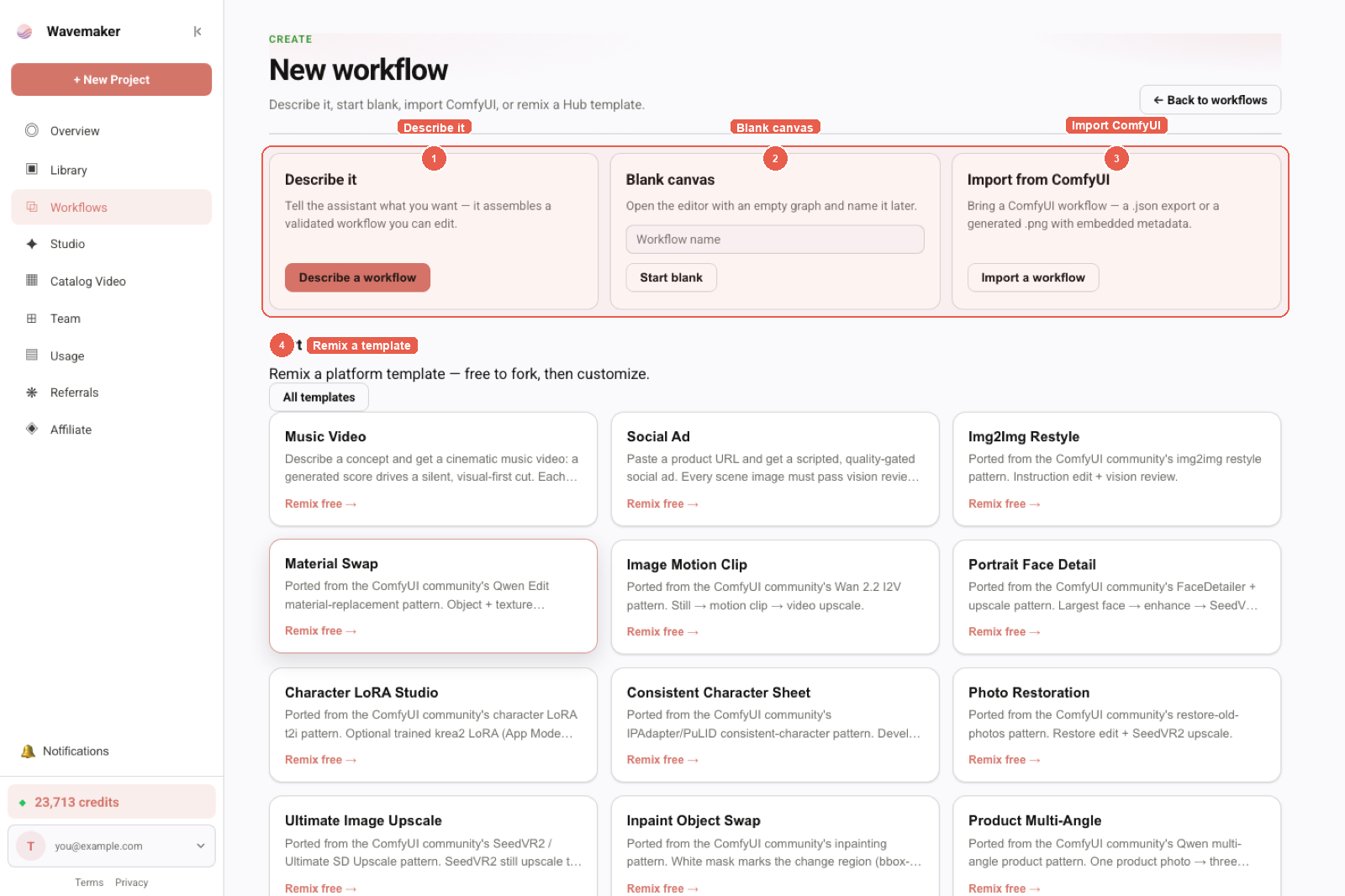
New workflow entry: describe, blank canvas, Import from ComfyUI, or remix a template.
How do you run img2img for end users?
After import and hardening:
- Open spec panel → promote an image input (and prompt text).
- Publish to Hub — runners upload without Comfy installed.
- Or call
POST /api/v1/w/{slug}/runswith the same fields — workflows as API.
PNG workflow metadata imports the same graph if the PNG was Comfy-generated — PNG metadata guide.
How should you replace denoise/strength habits?
Comfy users often treat denoise as a fine brush. On Wavemaker:
- Edit block parameters + prompt engineering carry style
- Review gates reject off-brief frames instead of micro-denoise sweeps
- Best-of-N covers “run five strengths and pick one” without exposing sampler math
The copilot prefilled from import gaps often proposes these patterns when Not imported listed ControlNet or custom preprocessors.
What fails import for img2img-specific graphs?
Common blockers:
- ControlNet stacks (pose, depth, tile)
- Custom preprocessors (unknown
class_type) - Inpaint subgraphs with masks — may partial-map or list unsupported; rebuild with platform edit/mask support where available
- Dual-pass graphs mixing image + video — image chain wins import precedence; video-only graphs map via import v2
See custom nodes and dependency hell.
How do masks and inpaint subgraphs behave?
Inpaint workflows often combine LoadImage, mask sources, and dedicated samplers. Support varies by graph shape: some flatten cleanly into edit blocks, others reference custom mask nodes that do not import. When inpaint is central to your product, test import early and read approximated entries — do not assume alpha semantics match Comfy denoise on masked latents.
img2img → video pipelines
Many Comfy recipes stop at a still. Wavemaker can append video blocks, audio, and assembly after your imported edit core — visual builder tour. That is a reason to transpile rather than host Comfy for product outputs.
Troubleshooting: workflow import errors.
How do reference images differ from img2img uploads?
Comfy purists sometimes use reference-only nodes or IP adapters wired through custom stacks — those paths frequently hit Not imported. The supported product pattern is: promote a user image input, run an edit block with prompt guidance, optionally chain review gates for identity or product fidelity, then continue to video if needed. Reference boards from brand teams can be attached as static inputs on premium workflows where runners should not change style anchors. This is less flexible than arbitrary Comfy wiring, but supportable at scale because every step is a typed block with a quote.
What about strength-equivalent tuning without denoise widgets?
Teams map Comfy denoise bands to three platform habits: (1) shorter prompts with strong subject nouns for subtle retouching, (2) best-of-N with review for moderate restyle, (3) approval gates before expensive video when restyle risk is high. Document those habits in your Hub description so runners do not expect a hidden denoise slider. Sampler seeds hidden in PNG metadata do not apply after transpile — see PNG workflow metadata.
Checklist for img2img product launches
Verify promoted image input accepts the formats your runners use (PNG/JPEG). Add review gate if hands or logos must stay on-brand. Document that denoise sliders from Comfy are not exposed. Link to /comfyui for transpile limits in your Hub FAQ field.
FAQ-style scenarios
Can runners swap the input image mid-run? No — each run is immutable after submit; they start a new run with a new upload.
Does img2img preserve alpha? Do not assume Comfy alpha semantics; test PNG inputs with review gates.
Can I chain multiple edits? Yes with multiple edit blocks if compile allows wiring; each adds quoted cost.
Img2img online is a product pattern — upload, quoted edit, optional gates — not a remote KSampler panel. Set expectations in Hub copy and runner docs so support teams are not asked to “turn denoise back on.”
For ecommerce teams, img2img imports often start from packshot graphs. Snap aspect ratios can crop packaging text — combine review gates with prompt floors that mention legible labels, and promote enum aspects so API clients do not request unsupported dimensions. Video follow-ups belong in platform video blocks, not in-Comfy wrappers that will not import.
Schedule a monthly “report review” for any customer-facing Comfy import — ten minutes reading Not imported beats hours tuning prompts when the graph never mapped ControlNet.
Brand legal may ask whether runner uploads are used as training data — answer using your org policy; transpile import does not require retaining user uploads beyond the run artifacts you configure.
Ship a before/after gallery on Hub that shows Comfy local vs Wavemaker online intent — not pixel matches — so buyers calibrate expectations without support tickets. Link the gallery footnote to /comfyui.
Batch size and aspect ratio snaps
When Comfy width/height do not match supported aspect buckets, the report lists approximated snaps. Product runners may not notice a few pixels; brand teams with strict layout rules should set promoted enum aspects in the spec panel after import so API clients cannot request unsupported geometry. Combine with review gates when snapped AR changes subject framing.
Practical tuning workflow
- Import graph; read approximated and dropped sections first.
- Bind LoRAs via Training Studio — LoRA workflows.
- Run three times with same input image; adjust prompt, not seed.
- Add review gate if hands/faces drift.
- Publish with promoted image input.
Troubleshooting: workflow import errors.
Pair img2img imports with PNG metadata recovery when JSON is lost but outputs remain.
Where to go next
- Run online: Run ComfyUI workflows online
- Productize: Comfy workflow to product
- Why transpile: Why Wavemaker transpiles ComfyUI
- Pillar: /comfyui
Img2img online should mean upload, quote, result — with a report that tells the truth about denoise knobs you left on your desktop.
Frequently asked questions
- Does Wavemaker support ComfyUI img2img online?
- Yes for common chains: when the graph encodes a loaded image into latent space before sampling, the importer classifies image-to-image intent and maps to platform edit blocks — with approximations listed in the report.
- Will denoise/strength from KSampler carry over?
- Sampler-level knobs including denoise strength, seed, CFG, and scheduler are reported as dropped settings — not silently applied. Tune look via prompts, review gates, and best-of-N on platform engines.
- Can I pass a user upload as the img2img source?
- After import, promote an image input in the spec panel — it becomes the app form field, API parameter, and MCP tool argument for published workflows.
- What about ControlNet-guided img2img?
- ControlNet nodes do not import. Rebuild with reference images, edit blocks, or human approval — see the import report and copilot suggestions.