Import Civitai LoRAs into Wavemaker Training Studio
Pull Civitai model pages into your Library with license attestation—know which weights run on krea2/ltx/wan today versus Flux/SDXL library-only storage.

Import Civitai LoRAs into Wavemaker via the Training Studio Library wizard: paste a model page URL, attest license terms, and store the weight—with a clear runnable vs library-only badge before you bind workflows.
Civitai is a catalog, not an execution guarantee
Civitai hosts weights across Flux, SDXL, Wan, and dozens of fine-tunes. Wavemaker hosts typed engines with moderation, pricing, and version pins. Import bridges the catalogs, but honesty gates prevent pretending an SDXL file runs on krea2 GPUs.
Runnable today: weights aligned with krea2, ltx, wan, hunyuan, elevenlabs training/inference paths. Flux/SDXL imports are library-only until mounts ship—see Flux/SDXL compatibility.
Import wizard flow
- Open /assets → Library → import.
- Paste a Civitai model page URL (not arbitrary download mirrors).
- Review fetched metadata—base model, filename, license hints.
- Complete license attestation and provenance fields required by Hub policy.
- Store asset; note runnable vs library-only in UI.
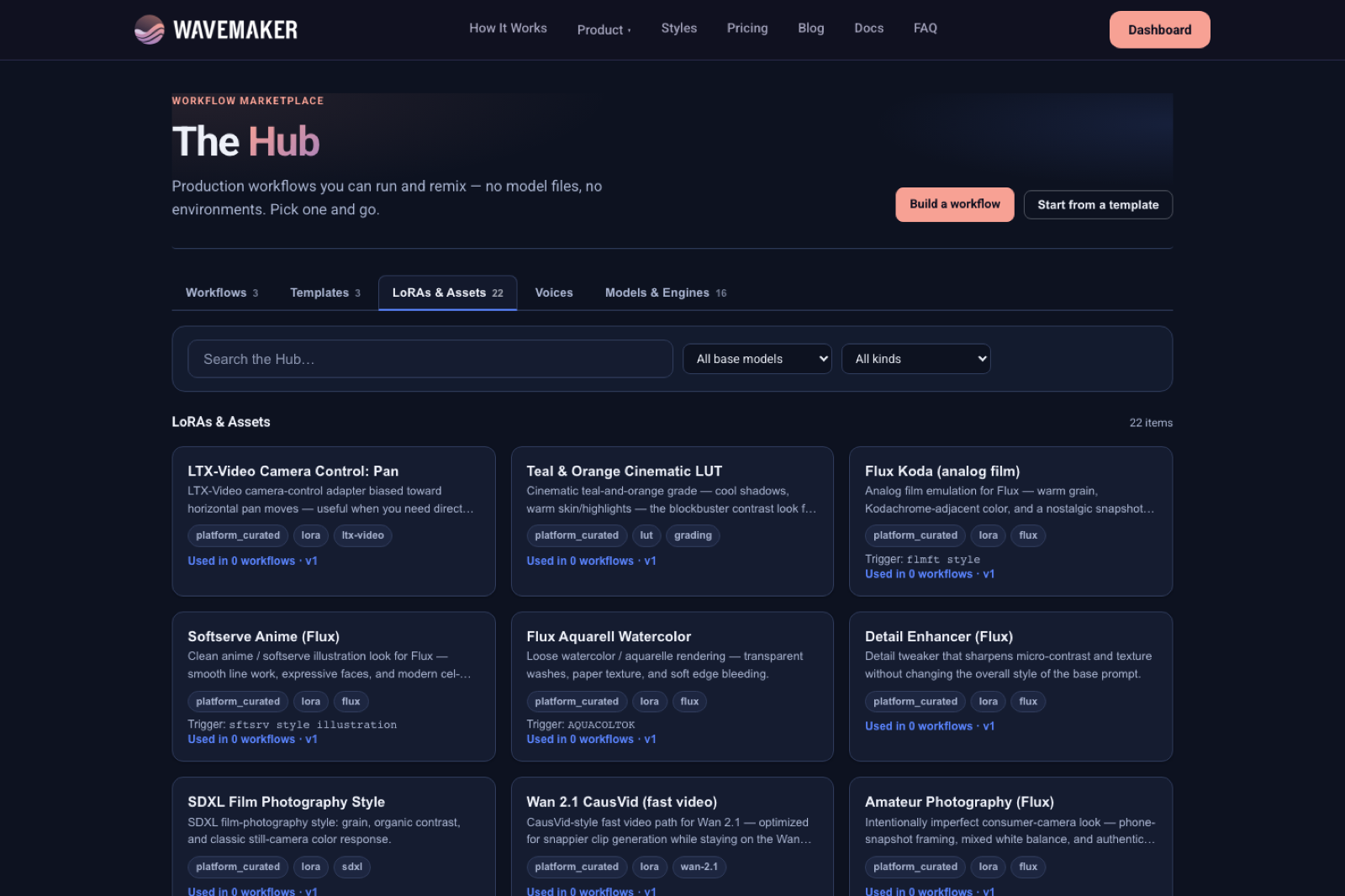
Hub catalog — browse runnable workflows and assets.
Imported assets behave like trained ones for versioning and cast packs—but only runnable families participate in execution.
License and provenance
Attestation is not legal advice—it is an operational gate ensuring you acknowledged Civitai terms and usage constraints before weights enter org storage. Hub publish adds moderation; delisting retains existing workflow pins.
If you plan commercial ecommerce SKUs, pair imports with product LoRA training on your own packshots when third-party LoRAs mismatch brand geometry.
ComfyUI graphs and filename matching
ComfyUI import reads LoRA node filenames. After Civitai import:
- Matching runnable files bind automatically on re-import
- Unmatched names stay in Assets to resolve
- Library-only Flux/SDXL names appear in Library but not in runnable picker slots
Transpile disclaimer still applies: samplers, seeds, and custom nodes do not port.
When import is the wrong tool
| Goal | Prefer |
|---|---|
| Runnable character this week | Train image_lora on krea2 (character guide) |
| Motion signature | Train video LoRA on Wan |
| Narration voice | Voice training with consent |
| Archive SDXL collection | Import library-only; wait for mount |
Training spends credits (~60 image, ~200 video, ~30 voice defaults) but produces epoch grids and picks—imports skip training, not evaluation responsibility.
Test runnable imports seriously
After bind:
- Tune strength
- Pick/compare epochs if you retrain locally-equivalent assets on-platform
- Optional blind A/B before Hub publish
Hugging Face and manual uploads
The same Library path supports Hugging Face URLs and manual .safetensors upload with the same runnable/library gates—Civitai is the common case, not the only ingress.
Multi-character pipelines
Import per-role LoRAs, confirm each runs, then bundle cast packs. Broader consistency tactics live in /blog/consistent-characters-across-scenes/—this post covers getting weights into Library, not scene-level directing.
Filename hygiene for Comfy matching
Comfy graphs reference literal filenames. After Civitai import, rename conflicts if your org stores multiple versions—importer matching is filename-sensitive. Standardize {project}_{role}_v{version}.safetensors internally before re-importing graphs.
NSFW and moderation on imports
Imports still pass provenance attestation; generation remains subject to content policy on runs. Library storage does not imply Hub publish approval—moderation queue is separate.
Enterprise inventory workflows
Marketers often maintain spreadsheets of Civitai links. Batch import via operator time, not agent loops without license review—each URL needs attestation. Runnable confirmation belongs in the same spreadsheet column as “runs in Wavemaker yes/no.”
Re-import cadence after Library updates
When a new teammate imports an updated LoRA file, re-run Comfy import on canonical graphs so Assets to resolve shrinks over time. Treat first import as draft; production graph is re-import #2+.
Download URLs and security
Import wizard fetches Civitai pages server-side—do not paste authenticated download URLs with embedded tokens into tickets. Use public model pages; let Wavemaker retrieve metadata safely.
Duplicate imports same model
Re-importing the same Civitai version creates duplicate Library rows unless you standardize ops—delete stale rows or version filenames to avoid picker confusion.
Hub publish of imported weights
Publishing community imports requires license attestation truthfulness—moderation can delist. Delisting retains workflow pins; plan replacement assets before delist if campaigns still run.
Training alternative ROI
When import is library-only, calculate cost of krea2 train (~60 cr) vs engineer time wiring local Comfy—often train wins for recurring revenue SKUs.
Field notes for import operators
Paste model page URLs, not hotlinked CDN downloads with expiring tokens. After import, immediately open runnable badge—if library-only, decide train vs wait before telling client “import done.” Standardize filenames before Comfy re-import; spaces and parentheses break naive matching. Keep license attestation text aligned with client contracts—marketing cannot outrun legal. For multi-LoRA graphs, import bottom-up: hero character, product, style—in that priority order for resolve reports. Do not import NSFW weights into orgs with strict employer policies even if moderation allows—HR policy wins. Track import job ids; long downloads need poll not double-submit. When Civitai updates model versions, re-import deliberately—version drift breaks pins. Connect imports to cast packs only after runnable confirmation.
Workshop scenarios
Creator pastes Civitai URL, expects instant run — show library-only badge for SDXL, offer krea2 train path. Comfy re-import still lists Assets to resolve — filename typo vs Library; fix and re-import. Legal asks provenance — show attestation + import job id. Duplicate Library rows — merge ops procedure; standardize naming. Hub publish of import — moderation separate from import; eval promote recommended. Walk through scenarios in onboarding so support volume stays low.
Extended production checklist
Maintain a living spreadsheet: Civitai URL, Library asset id, runnable flag, bound workflow ids, last Comfy re-import date. Paste model pages only—never expiring CDN tokens in Slack. After each import, run a one-cell workflow test if runnable—library-only skips test with explicit note. Align license attestation wording with client MSAs before Hub publish. Filename standardization is boring and saves hours on Comfy re-import. When duplicates appear, delete or archive stale Library rows with written rationale. Connect import ops to train ops: library-only imports trigger krea2 train ticket automatically in mature teams. Reference /lora-training for credit math in SOWs. For multi-character binds after import, use cast packs. Consistency overview: /blog/consistent-characters-across-scenes/.
Operator deep dive
Import jobs can take long enough that PMs assume failure—track job ids and poll status instead of re-submitting duplicates. Civitai page metadata can change; re-import when creators upload new versions and filenames shift. Legal should review attestation text templates quarterly. Runnable confirmation belongs in the same ticket as Comfy re-import—do not close migration tasks when Library alone is green. For enterprise, map each imported weight to a product SKU or character codename in your DAM, not only in Wavemaker titles. When library-only weights accumulate, schedule krea2 train batches rather than letting producers discover at bind time. Hub moderators care about license honesty—keep marketing claims aligned with attestation. Agents automating import must still surface library-only badges to humans before promising delivery dates.
Closing principles for import programs
Treat Civitai import as catalog ingestion, not guaranteed runtime. Producers should receive a three-state label on every weight: runnable now, library-only pending mount, or failed attestation. Comfy migrations should be measured by Assets to resolve trending down week over week, not by counting files uploaded. When clients arrive with hundreds of SDXL merges, prioritize the ten revenue-critical SKUs for krea2 retrain (~60 credits each at defaults) instead of debating Flux parity in meetings. Support teams should capture import job ids in every ticket—re-submitting imports duplicates Library rows and confuses filename matching. Legal attestation text should mirror client MSAs; marketing language that overpromises “any LoRA” creates liability when library-only badges appear. DevOps automating Library via API must poll long-running import jobs; webhooks mirror training patterns. After runnable import, always run strength tuning—filename match without weight sweep still disappoints. Hub publish remains a distinct moderation gate; importing is not publishing. For ensemble productions, sequence import → runnable test → cast pack apply → workflow save. Link cross-scene consistency questions to /blog/consistent-characters-across-scenes/ while keeping import scope narrow. Re-anchor budgets to /lora-training when imports trigger retrain cascades.
Import success means the weight is cataloged with honest runnable labeling, a completed attestation trail, and a Comfy filename match plan—not “we pasted a URL and assumed production ready.”
API surface
Kernel routes back Library CRUD and import jobs; agents use MCP dataset/asset tools where exposed. Webhook patterns mirror training jobs for long imports—poll job status rather than assuming instant bind.
Where to go next
- Pillar: /lora-training
- Docs: Model assets, Training Studio
- Train instead of import: /blog/train-lora-online-no-gpu/
- Comfy path: /blog/import-comfyui-workflows/
Frequently asked questions
- How do I import a LoRA from Civitai?
- In Training Studio Library, use the import wizard with a Civitai model page URL. Wavemaker fetches metadata, prompts for license attestation, and stores the weight in your org library—runnable immediately only if the base model is krea2, ltx, wan, hunyuan, or elevenlabs compatible.
- Will any Civitai LoRA run in workflows after import?
- No. Flux and SDXL imports are library-only until engine mounts ship. Only weights on runnable families bind to workflow nodes and execute on platform GPUs.
- Does importing cost training credits?
- Import itself is not an image_lora training job (~60 credits). You may pay standard generation credits when testing a runnable import in a workflow.
- How does this interact with ComfyUI workflow import?
- Comfy import matches LoRA filenames against your Library. Import Civitai weights first, confirm runnable badges, then re-import the workflow so LoRA stacks bind instead of landing in Assets to resolve.